
Logging in and creating your first filters in the OMRviewer
Create buyer intent filters in OMRviewer to leverage intent data and refine your marketing strategy based on customer behavior signals
Get familiar with the OMRviewer and create your first filter
Logging in to the OMRviewer for the first time is the starting point for using buyer intent data to support your marketing strategy. To help you get started and quickly get value from the data, we’ll guide you through your first steps in the tool. This will help you get familiar with the OMRviewer quickly and lay the foundation for seamlessly integrating insights into your existing sales and marketing processes.
Log in to the OMRviewer
You can access the OMRviewer directly through your OMR Manager account.
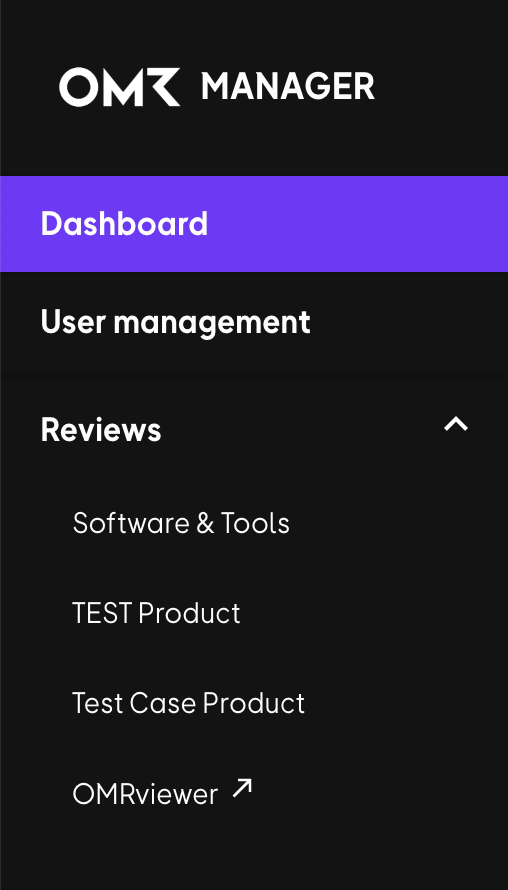
- Log in to your OMR Manager account.
- Click 'OMRviewer' in the navigation bar on the left.
- You’ll be taken directly to the OMRviewer.
Watch the OMRviewer intro video
This video is hosted by YouTube. Loading it sends data such as your IP address to YouTube.
👉 In the second step, “Working with the OMRviewer,” you’ll get a detailed overview of the OMRviewer’s key features and learn how to put them to use in your day-to-day work.
Create your first filter
Think about which signal types are most valuable to you, then create your first filter.
This video is hosted by YouTube. Loading it sends data such as your IP address to YouTube.
 Powered by happysupport.ai