
Product Screenshots & Videos
Upload product screenshots and videos to your OMR Reviews profile using the Media tab to showcase your interface and features to potential customers
How to optimize your OMR Reviews profile: Integrating product screenshots and videos
Your potential customers want to know exactly what they're buying. In the SaaS space, customers want to see what the user interface looks like. According to a study by FasterCapital, the first impression of a SaaS product, which is often conveyed through the UI, can be decisive for the entire customer journey. A positive first experience can lead to higher engagement rates. That's why you should use high-quality visual content in your profile to make a positive first impression on users and give them a clear idea of your product.
Use screenshots to showcase the user interface, and videos to demonstrate your product's key features and benefits.
To upload or update media, log into your OMR Manager account and follow the tutorial below.
Step 1
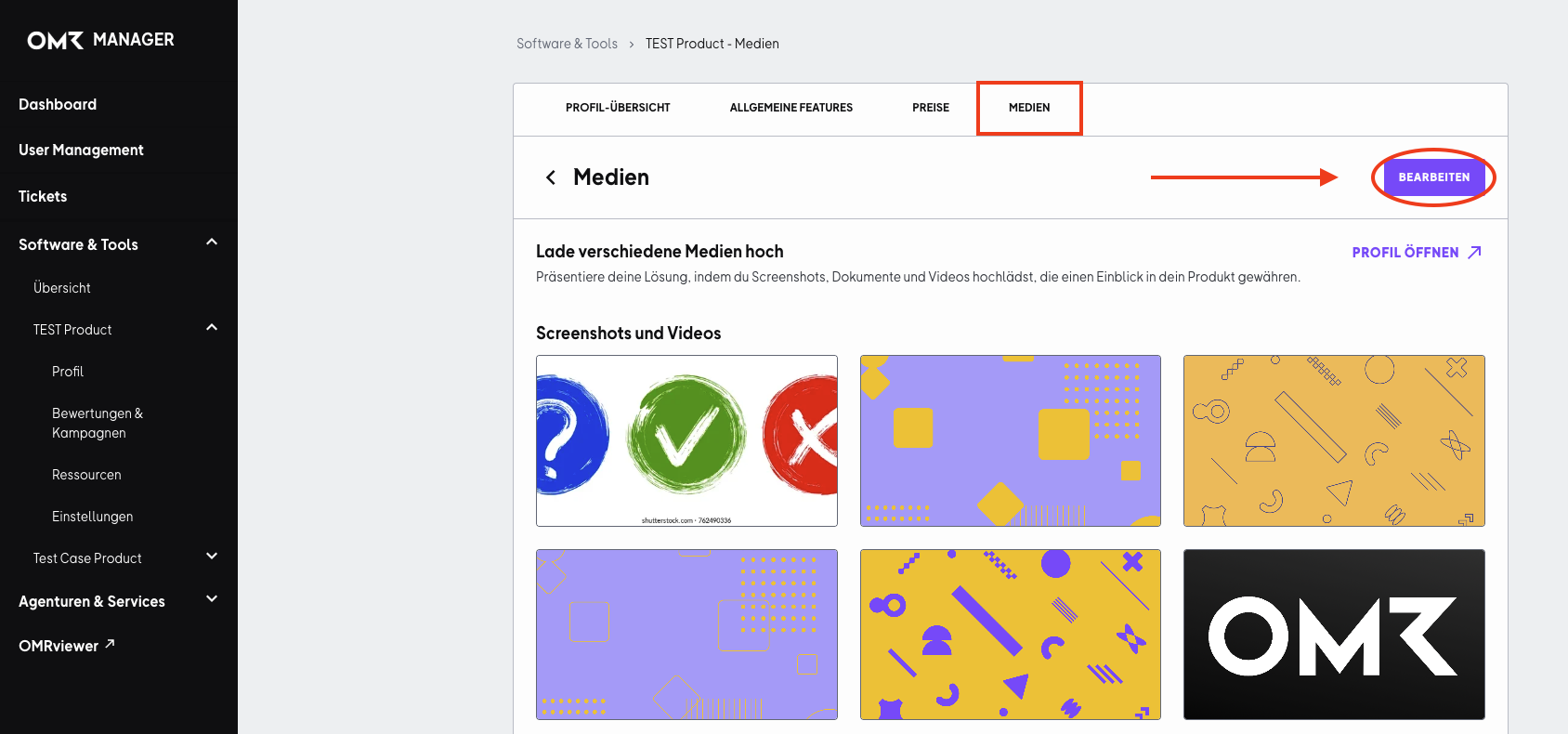
First, go to the "Media" tab. Click on the "Edit" button and scroll down until you see the drag and drop field.
Step 2
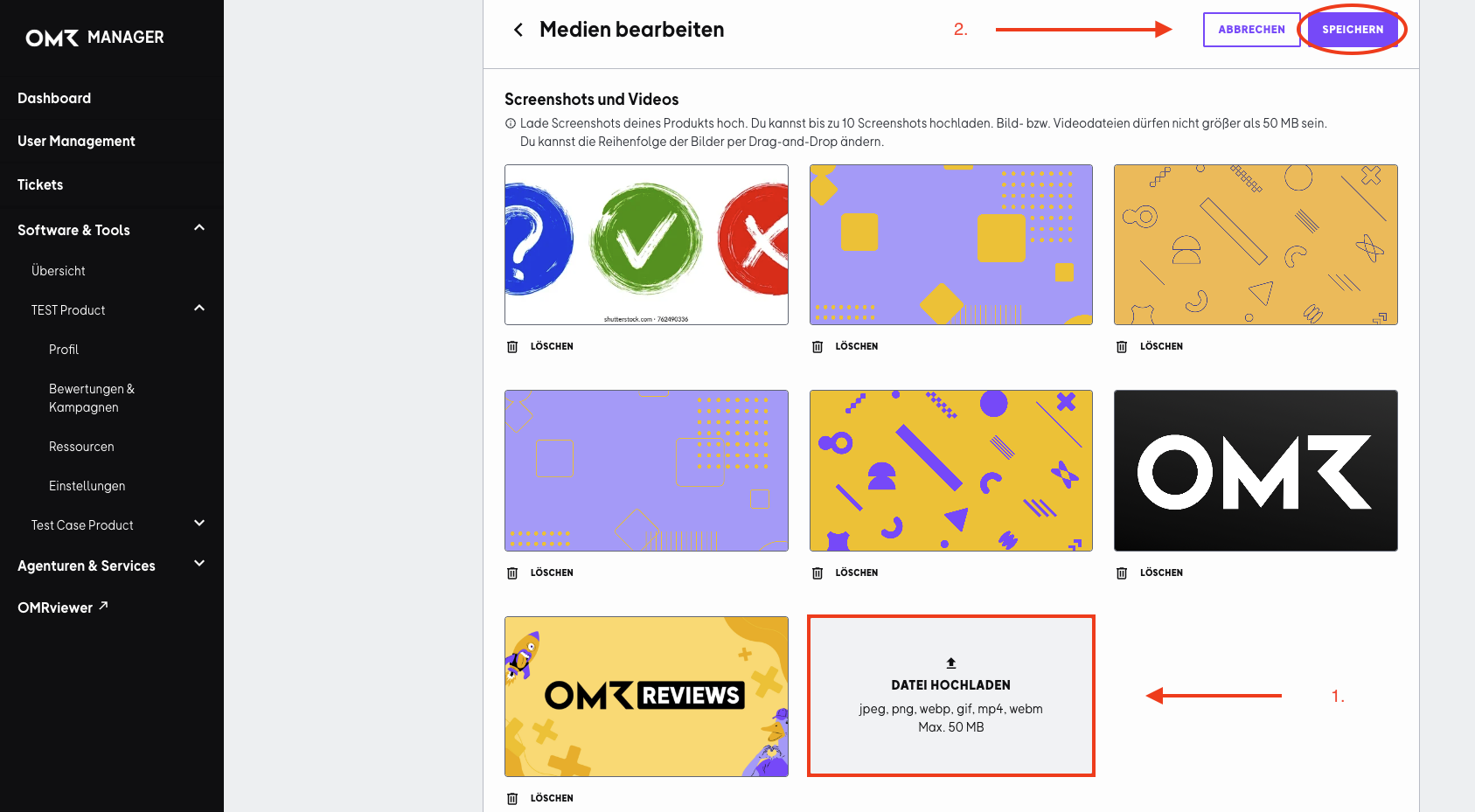
Click on "Upload file" or simply drag the file directly into the field (drag and drop). Don't forget to save your changes after you've uploaded your files.
 Powered by happysupport.ai