
Managing Your System Notification Distribution List
Add email addresses to your OMR Reviews notification distribution list in Settings to receive review updates and buyer intent data
Add relevant email addresses to receive OMR Reviews system notifications
The system notifications you receive from OMR Reviews via email keep you informed about three key areas:
-
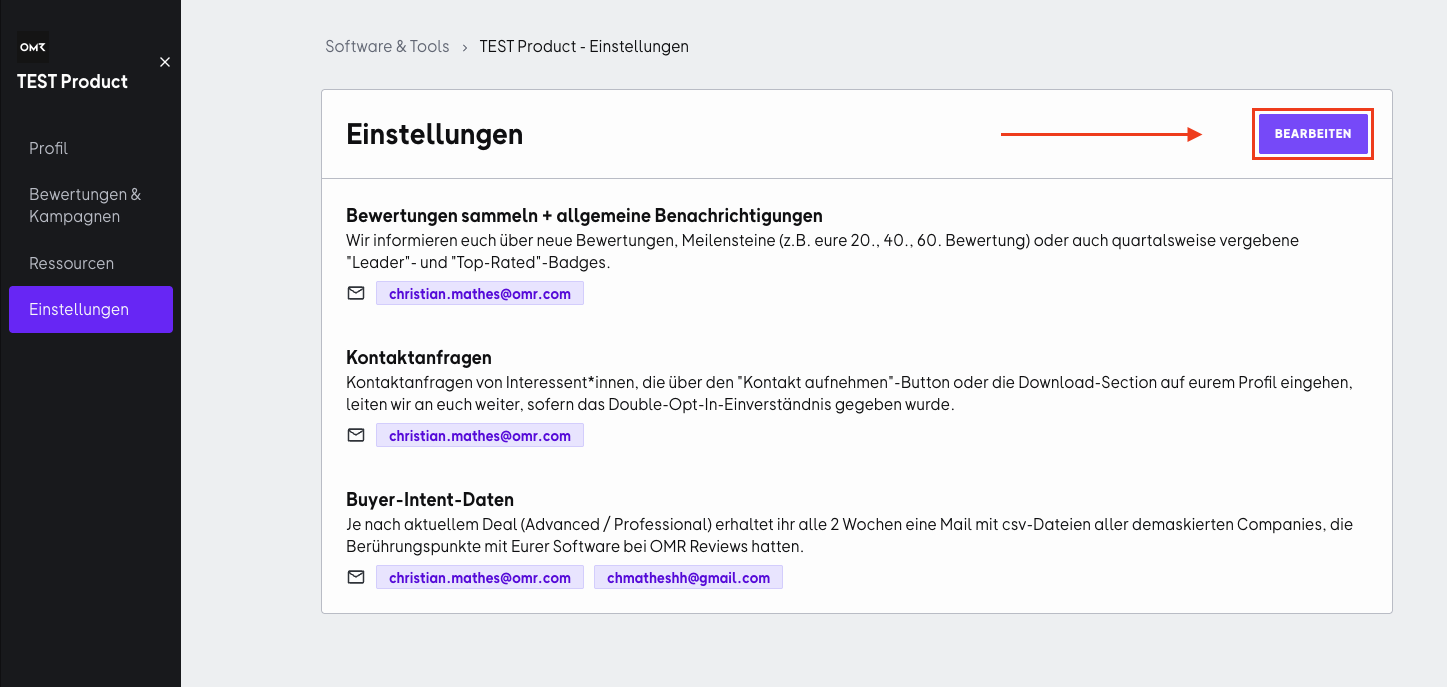
New reviews, milestones, and badges: you'll get updates about new reviews on your OMR Reviews profile, milestones you've reached (for example, your 20th or 40th review), and newly earned badges (Badges).
-
Contact requests and downloads: you'll be notified when contact requests come in through the "Get in touch" button or when users access your download section.
-
Identified companies (Buyer Intent Data): depending on your chosen plan, you'll receive information about unmasked companies that had touchpoints with your OMR Reviews profile.
👇 Here's how to add email addresses for system notifications correctly:
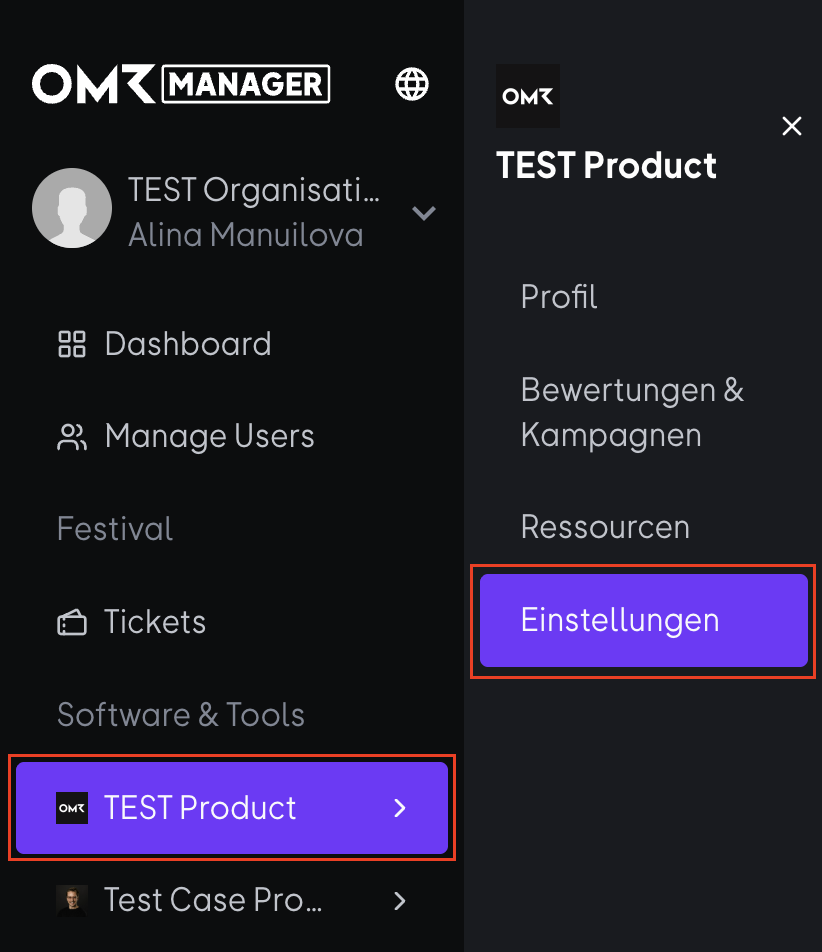
- Log in to the OMR Manager and select your product. Then navigate to the "Settings" tab in the menu.
- Click on "Edit" and add the relevant email addresses there to receive our system notifications.
- Enter the email addresses in the designated fields for each distribution list and confirm your entry by pressing Enter. Then click on "Save" to apply your changes.
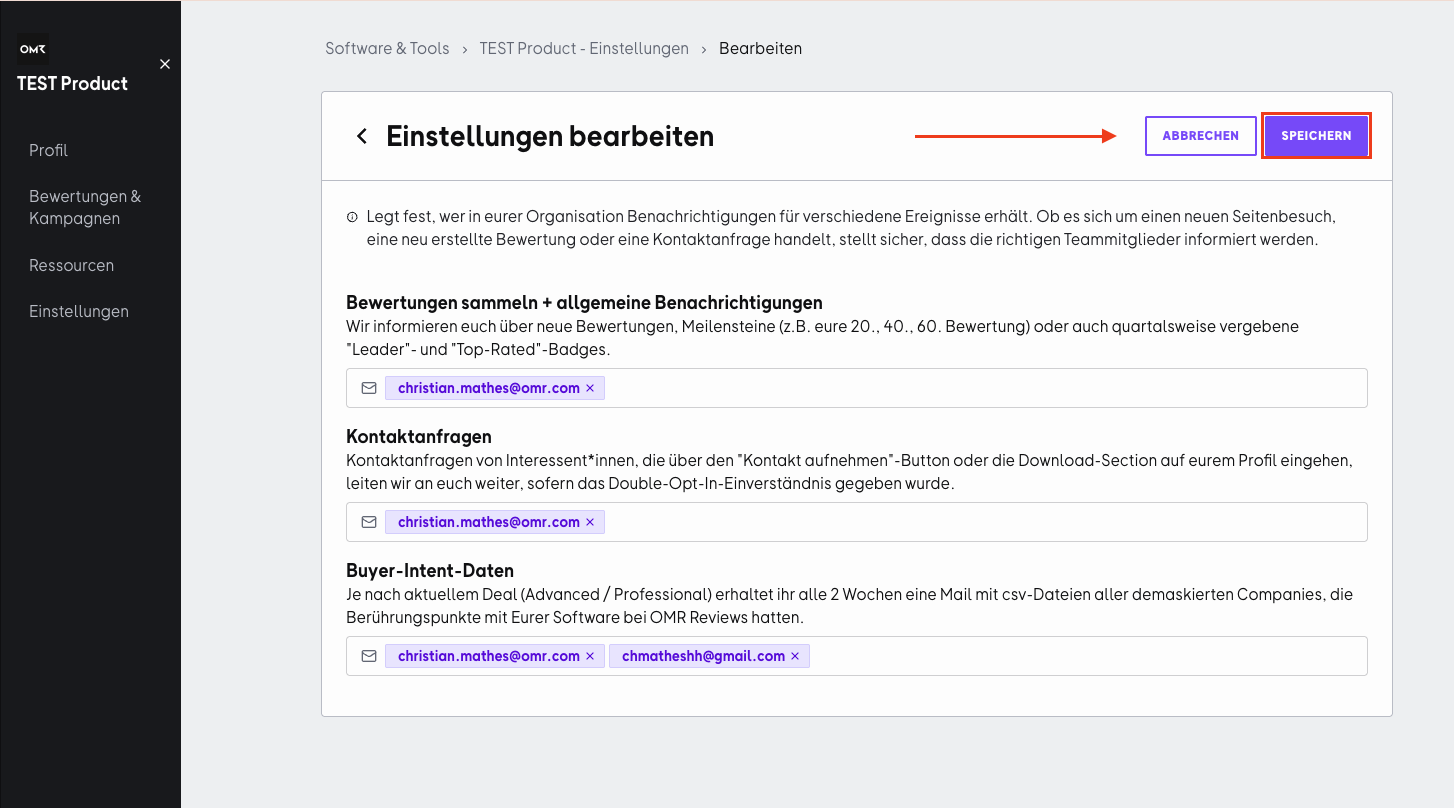
Add the relevant email addresses right away so you don't miss any important system notifications from the start.
 Powered by happysupport.ai