
Employee Count in OMRviewer
Filter Buyer Intent data by employee count ranges in OMRviewer to segment companies and customize your outreach strategy based on organizational size
How to use segmentation for targeted messaging and prioritization
In the OMRviewer, you can filter Buyer Intent data by employee count. Filtering lets you segment identified companies and organize interest signals in a structured way.
This article explains how filtering works in the OMRviewer and what opportunities it creates for your marketing and sales processes.
What you'll find in this article 👇
- Why filter by employee count?
- How filtering works in OMRviewer
- Practical use cases
Why filter by employee count?
Employee count provides additional structural context to help you strategically prioritize Buyer Intent signals. It helps you avoid viewing interest in isolation and instead interpret it within the organizational framework of each company.
Knowing the number of employees gives you insights into:
-
how decision-making processes are structured and their complexity
-
different information needs and expectations
-
appropriate communication style and depth
-
how to use data in your marketing, sales, and CRM processes
By filtering based on employee count, you can:
-
organize Buyer Intent data into segments
-
use it as a foundation for differentiated messaging approaches
-
consistently pass data into downstream processes
Employee count isn't used as an evaluation criterion, but rather as a tool to determine the right approach for your existing marketing and sales processes.
How it works
Create and save filters
-
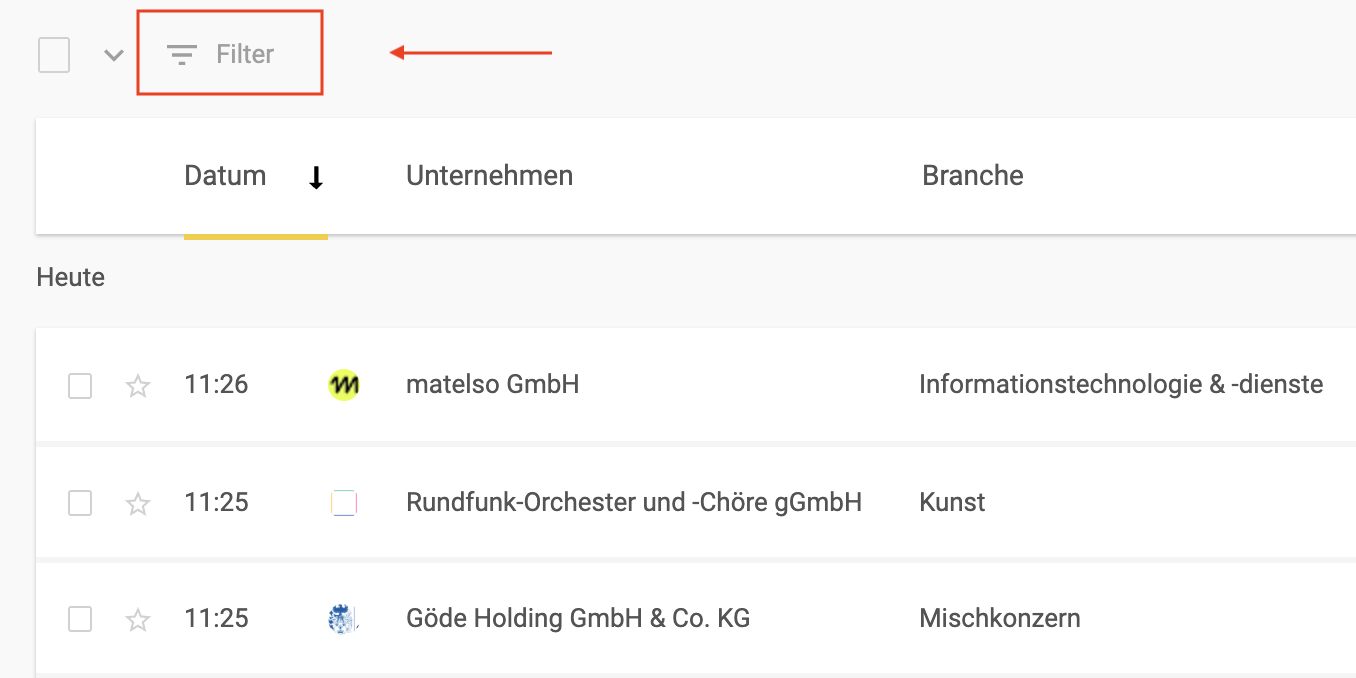
In your list of identified accounts, click on "Filter" at the top left. (You can access this through "Sessions" or "Companies" in the sidebar.)
-
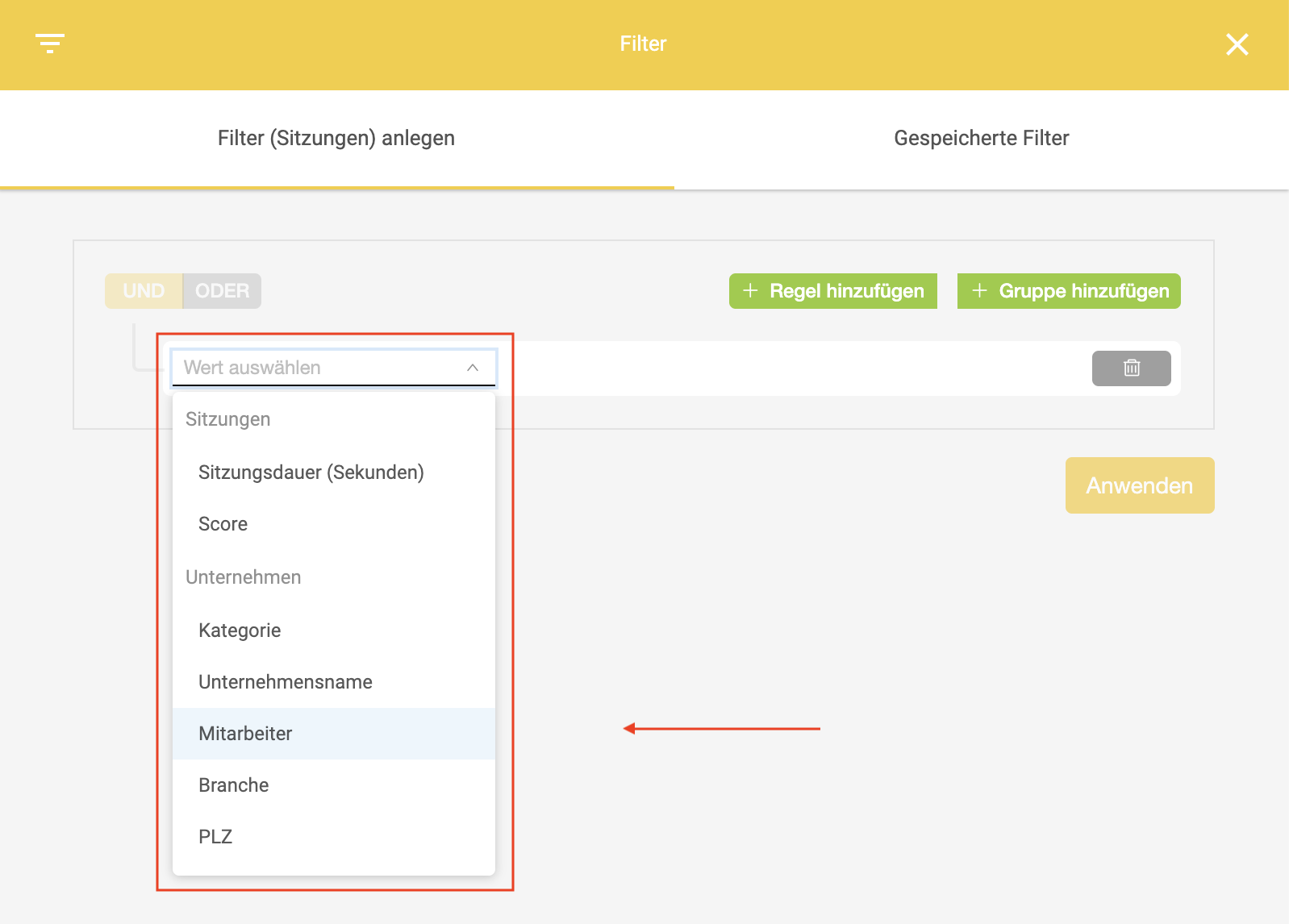
A panel with all available filter options will open on the right.
-
Select the "Employees" filter.
)
-
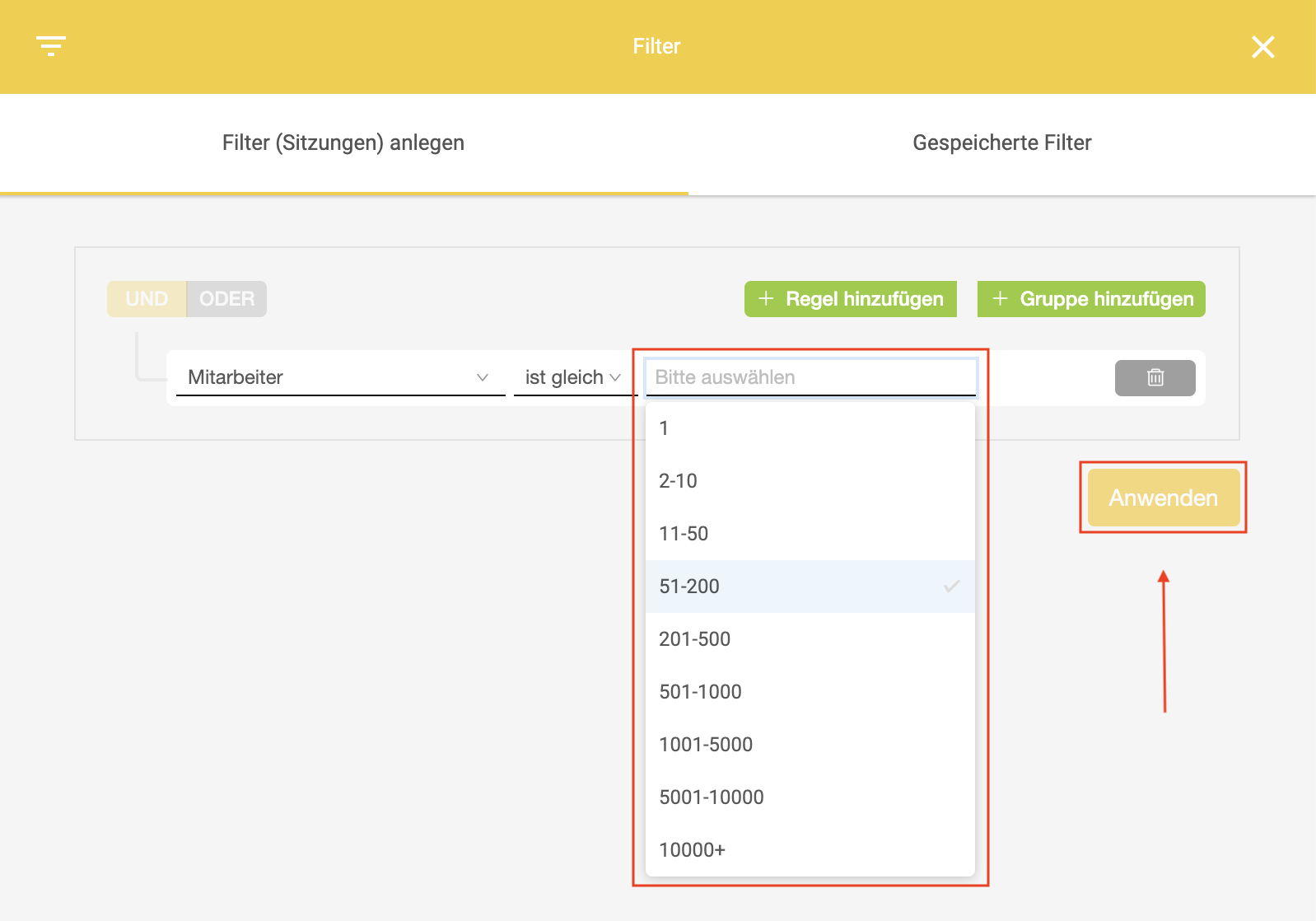
Set one or more company size ranges.
-
You can optionally add additional filters.
-
Click Apply to create your new filter.
Employee count is displayed in OMRviewer in predefined employee ranges:
-
1-10 employees
-
11-50 employees
-
51-200 employees
-
201-500 employees
-
501-1,000 employees
-
1,001+ employees
Combining with other filters
For example, you can combine employee count with Intent Score to further prioritize Buyer Intent signals within your defined segments.
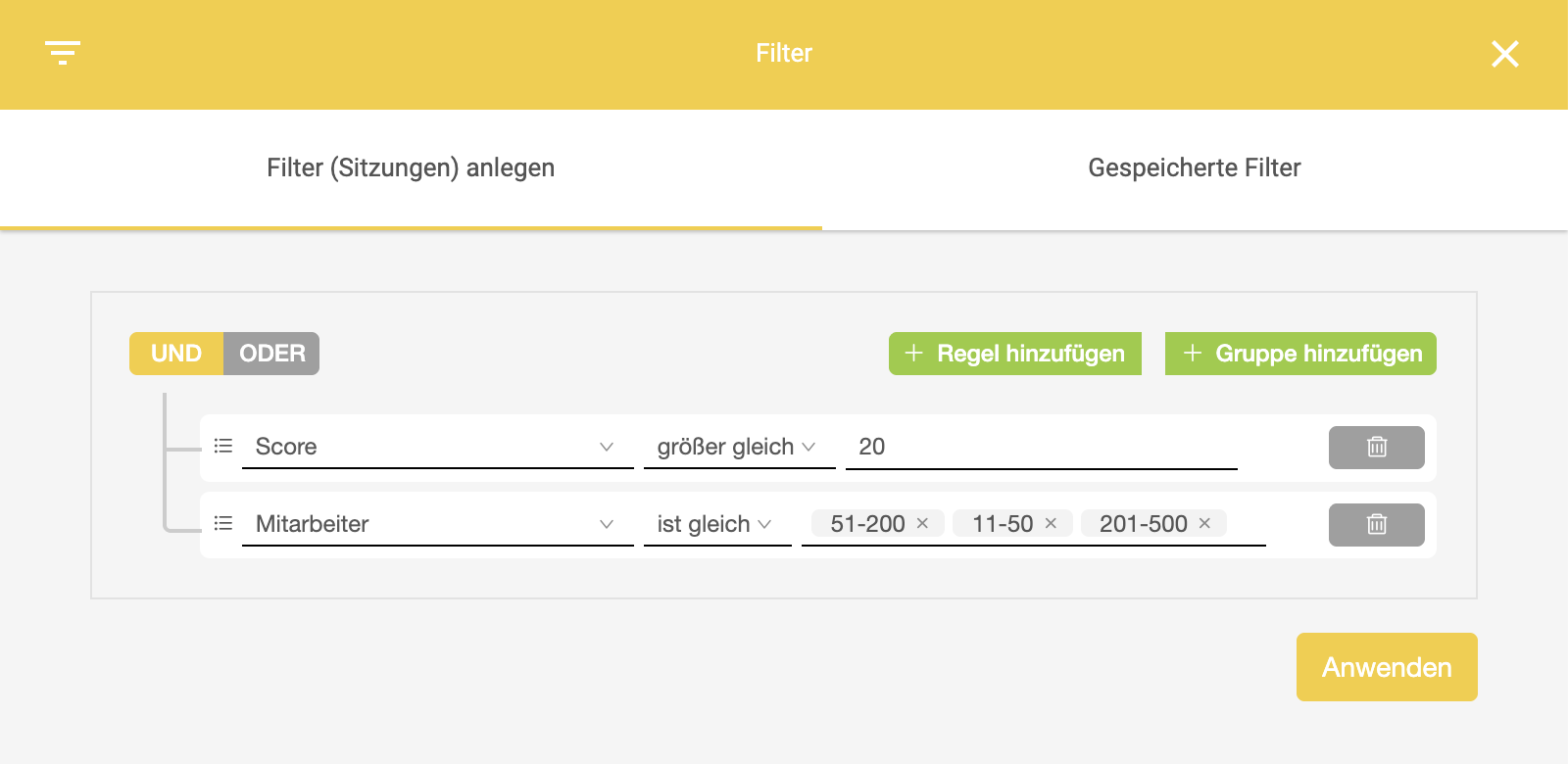
Example:
-
Employee count: 201-500 employees
-
Intent Score: > 20
This lets you identify companies that show elevated interest and fit your clearly defined target segment.
-
The more filters you combine, the smaller your result set becomes.
-
Build filter combinations step by step and check the resulting data volume.
Practical use cases
Preparing segmented outreach lists
By filtering based on employee count, you can prepare lists of identified companies for immediate use in outreach processes. In practice, this means you don't work with a "master list of all interested companies" but instead with clearly defined segments (for example, 11-50, 51-200, 1,001+).
-
Comparability within your list: Companies of similar size typically share comparable conditions (for example, team structure, procurement processes), making your outreach lists more consistent.
-
Operational efficiency: Your teams can prioritize outreach activities and plan them in waves (for example, target one high-fit segment first, then move to the next) rather than treating all companies the same regardless of context.
Combined with additional filters (for example, Intent Score), you can tailor your outreach lists based on data and focus on the companies most relevant to you.
Developing different messaging approaches
Employee count provides a structural reference point for understanding how decision-making processes are typically organized and what types of information are relevant in each context. This doesn't mean all companies within a size range act the same way. However, size provides a solid foundation for systematically structuring your communication and developing different approaches in a planned way.
Typical approaches that come from this:
-
Level of detail: Some segments need more contextual information (for example, background, comparisons, implementation frameworks), while others prefer clear key points and quick orientation.
-
Argumentation logic: Depending on the segment, your communication can emphasize different angles, such as implementation, organizational factors, or technical integration.
-
Tone and depth: Segmentation helps you manage information depth consistently (for example, short, clear introductions versus structured information with criteria, frameworks, and next steps).
Structured handoff of Buyer Intent data to Sales
Without segmentation, Sales often receives a mixed list that requires extra manual work ("What kind of account is this?", "How relevant is this for my area?", "How should I approach this company?").
Filtering by employee count improves the handoff because it:
-
enables pre-qualification based on context (Sales immediately sees what size range the account falls into).
-
supports routing and responsibilities (for example, different teams or playbooks per segment, if set up that way internally).
-
enables segment-based outreach (for example, developing different communication approaches per segment).
Enriching accounts and contacts in your CRM
Employee count is a core CRM dimension because it supports segmentation, reporting, and process logic. When Buyer Intent data flows into your CRM through the OMRviewer integration, employee count is particularly useful for:
-
Segment fields and views: You can display accounts in CRM lists, dashboards, or campaign logic organized by segment.
-
Consistent reporting: Performance (for example, outreach success, pipeline development) can be analyzed by segment.
-
Automations and rules: Workflows like assignment, sequences, tasks, or campaigns can be aligned with segments (depending on your CRM setup).
 Powered by happysupport.ai