
Filter Examples for Software Vendors
Filter companies in OMRviewer by session duration, intent score, category, industry, and location to identify prospects matching your ideal customer profile
Use filter options to identify the most exciting companies for you.
The flood of data can quickly feel overwhelming, especially when it comes to identifying the right companies or sessions in OMRviewer. This is exactly where the filter functions come in: they help you focus on specific account groups.
With the filters you can:
-
Find relevant companies that work with your products or services.
-
Hide irrelevant data, such as companies that don't belong to your target audience.
-
Identify companies that match your ideal customer profile.
-
Work more efficiently by saving recurring search criteria as filters.
Using the filter function
Sessions vs. companies
Depending on what you want to analyze, you can filter on session level or company level:
- Session level: Filters for individual visits to OMR Reviews. Ideal if you want to see which users have engaged intensively with specific tools or categories.
- Company level: Filters for entire companies that were active on OMR Reviews during a specific time period. Perfect for lead research.
When filtering, your imagination is the limit. Try out different options and decide which filter settings are most relevant for you and deliver the most interesting and strongest signals for your needs.
-
Simply click Companies in the left menu and then on Filter. You'll also find your already saved filter settings there, plus a few predefined templates to get you started.
-
Click Filter in the top left to access the filter settings. Don't forget to save your filter after creating it so you can access it later.
 -4)
-4) -
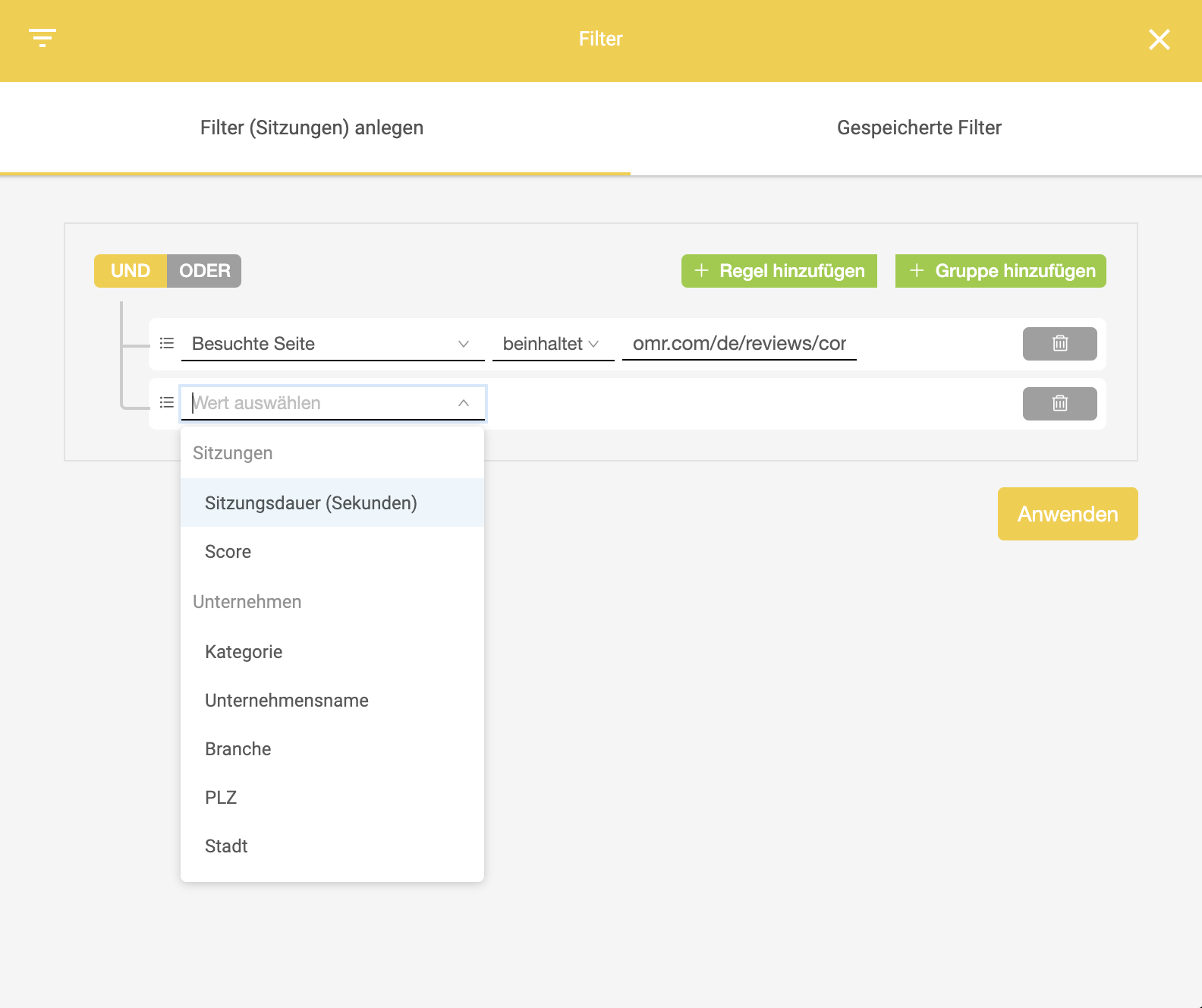
In the filter settings you can create rules based on session duration, intent score, category, company name, industry, postal code, and city, and organize them into groups.
 -4)
-4)
If you've linked your CRM to OMRviewer, you can use your saved filters directly for your lead management. This means qualified companies that match your filter criteria automatically flow into your CRM system, and you can follow up more efficiently.
For software vendors
This video is hosted by YouTube. Loading it sends data such as your IP address to YouTube.
Visited page contains:
- Pricing
- Pricing + page views < 1
- Pricing + postal code: 20357
- Pricing + "competitor"/pricing
- "Competitor"
- "Your tool"
- "Competitor"
- Article slug
- Article slug + visited page contains (not) "Name"
Industry:
- e.g., customer service
Category
- Category URL slug
Session duration > 600 + page views > 2
Country: Germany + postal code between 2000 - 2500
 Powered by happysupport.ai